SETTINGS FOR ROUGH SVGs in Inkscape
Path > Trace Bitmap, then change just the setting for Smooth Corners. The other things I left default.
- Single Scan
- Brightness Cutoff,
- 0.450 Brightness Threshold
- 2 Speckles
- 0.1 or 0 Smooth Corners
- 0.20 Optimize
SILOUETTE CAMEO plotter-cutter on Linux (Debian)
(You need to install some drivers, and you need to modify (cut and paste) some files into their folders)
- In Terminal (https://github.com/fablabnbg/inkscape-silhouette)
- sudo apt install inkscape
- sudo apt install python3-usb
- https://github.com/fablabnbg/inkscape-silhouette/releases Scroll down to Downloads and click on the *.deb file. (You only need the one .deb file.)
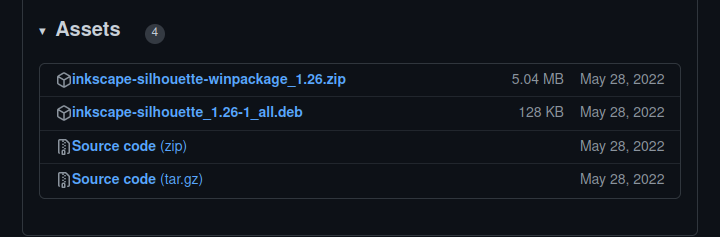
Install that driver by clicking it in the folder and Install with Gdebi package manager (install gdebi),
Now, in Terminal do sudo inkscape to open it as root. With an SVG open in Inkscape, go to Extensions > Export > Send to Silouette, and try to do that, but you might get an error ...
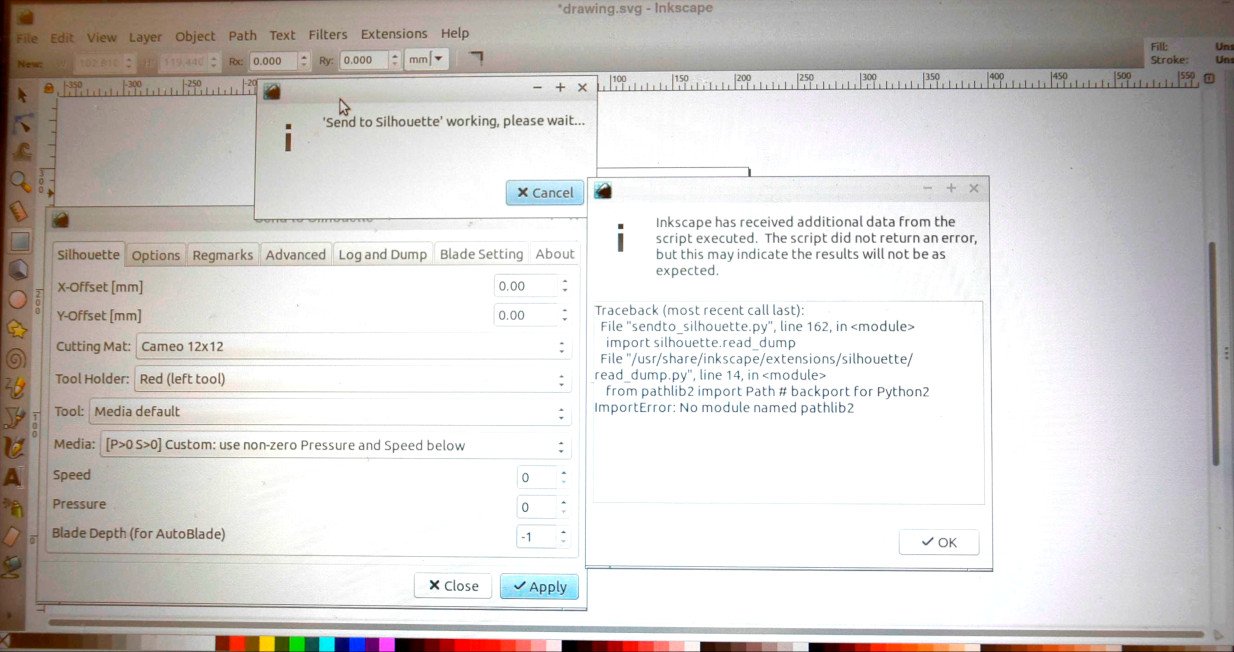
So go to __(add page link), and download the .zip file, and from inside that zipped folder, take three things and put them in in the yourComputerName/config/inkscape/extensions folder. (You don't need the whole zipped folder, and you don't need to install anything. Just paste those files.)
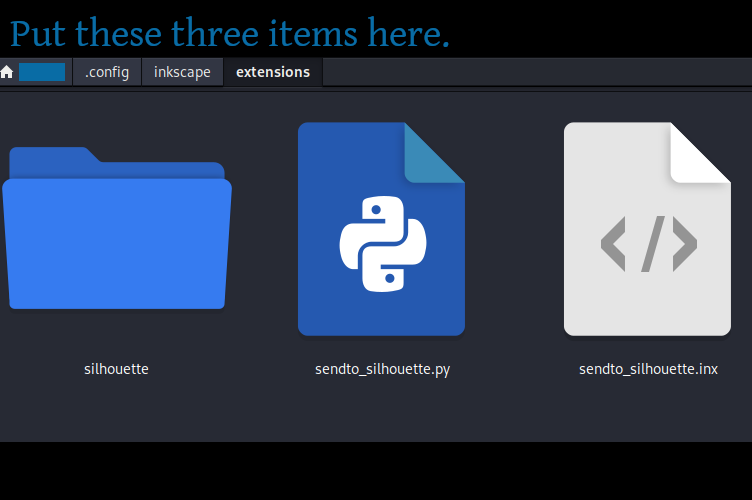
Close inkscape and sudo inkscape again. At this point, it worked for me.