Newer:
Epson L320. Doesn't work if you just plug into Kali
3 driver files.
- Install the lsb one first (the others depend on it), but it needs internet to download the required parts for it
- worked after installing the 3 things. (Not sure if it might work after just 1 or 2)
- Later I bought a L3250 and it didn't plug and play, so I got its driver from Epson (then it goes to another site for Linux drivers), still no, so I installed the 3 .deb packages shown here also, and it worked (after reboot).
This image shows stuff. Might not need all of these.
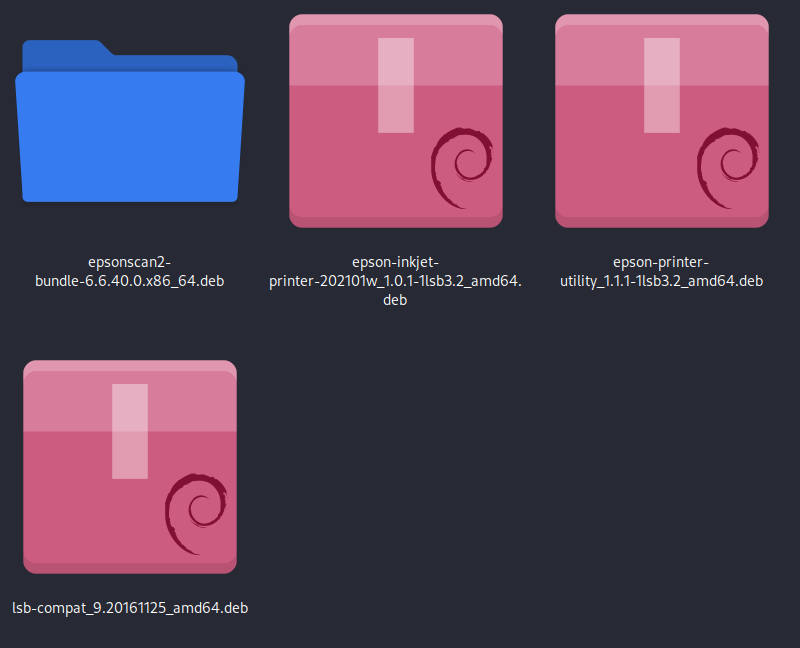
Drivers from Epson:
http://download.ebz.epson.net/dsc/search/01/search/searchModule
I think you just need the top 2, or maybe just one of them. On a 64-bit Debian install you should have selected the AMD64 versions. To check your system for 32 or 64 bits, do uname -a in Terminal.
They won't work, because Debian obsoleted lsb 3.2. You have to install it (actually, just something similar called lsb-compat) from:
http://ftp.debian.org/debian/pool/main/l/lsb/
Select and download lsb-compat_9.20161125_amd64.deb
OK, now in Downloads, install that deb package for lsb-compat. Then install the other 2 (or 1) deb packages for the Epson drivers. Assuming they/it now installs without an error message ...
Now go to menu and Printers, select ''add' and select the Epson L3210 12321231223 one) and select 'Forward,' then 'Apply'. It will offer to do a test print and if it works, it should be installed.
Notes on printing:
- Draft versus Standard: Draft is more blurry, softer, with lighter blacks.
- Plain Paper versus Glossy versus Epson Matte: Plain paper can produce lines
- Other: At least in GNU, the darkness is affected by the image (probably shouldn't be). When I print without a small pink image on the overall image (collage), it is quite light. When I print with the pink image, it's dark. Note that this wouldn't be the case if I were printing multiple images on Shotwell, where the images are considered separate.
- If you see lines on the print, you might have to go to Print Settings on the computer and select the paper type (it was set to 'paper' and I then set it to 'glossy'.